

Loading dock security camera coverage should help warehouse and distribution teams understand what happened, where it happened, and who or what was involved. Adding more cameras does not automatically create better visibility. Useful coverage starts with operational risks, viewing goals, dependable infrastructure, and testing under the conditions the facility experiences.
Loading docks and yards are challenging environments. Trucks arrive at different hours, trailers block views, headlights create glare, inventory moves through staging lanes, and exterior equipment faces heat, rain, dust, and wind. A camera plan must account for those conditions while remaining practical to install, maintain, and expand.
The following framework helps operations, facilities, security, and IT leaders plan commercial security cameras as part of a complete visibility strategy rather than a collection of disconnected devices.
1. Define the Operational Risk
Start by identifying the events the system should help review. This keeps the project focused on useful outcomes instead of camera quantity.
Walk the property and mark loading docks, vehicle gates, employee entrances, trailer parking, container areas, staging lanes, fuel locations, pedestrian routes, and equipment yards. Note where people and vehicles cross paths, where high-value goods pause, and where incidents or disputes have occurred.
Ask stakeholders what they need to verify. Operations may want to review dock activity or trailer movement. Security may prioritize unauthorized entry and after-hours activity. Safety leaders may focus on forklift, truck, and pedestrian interactions. IT will need to understand network, storage, and remote-access requirements.
Rank each risk by business impact and frequency. That ranking helps the team decide where identification-quality video is justified and where general awareness is enough. It also creates a clear reason for every proposed view.
2. Map Priority Views Before Selecting Cameras
Every camera should have a defined job. A wide image of an entire yard can show movement, but it may not provide enough detail to identify a person or read a vehicle characteristic. Conversely, a narrow identification view may miss activity occurring outside its frame.
Divide required views into three practical categories:
- Identification: Clear detail at gates, controlled entrances, check-in points, or other predictable locations.
- Activity review: Enough detail to understand loading, unloading, handoffs, damage events, or vehicle interactions.
- General awareness: A broad view that helps teams monitor traffic, perimeter conditions, or overall yard activity.
Plot these views on a site plan and compare them with normal operations. Parked trailers, raised dock doors, containers, fencing, vegetation, and seasonal storage can all create blind spots. Loading dock security camera coverage should reflect the busiest condition, not an empty yard during the survey.
3. Account for Lighting Throughout the Day
Exterior image quality changes with the sun, weather, facility lighting, and vehicle headlights. A view that looks clear at noon may become washed out at sunset or too dark after a shift change.
Review each priority scene at times. Look for direct sunlight, strong backlighting at open dock doors, deep shadows under canopies, reflections from wet pavement, bright headlights, and uneven wall-mounted lighting. Seasonal changes also matter because the sun’s position and daylight hours change.
Low-light and infrared capabilities can help, but they cannot correct every condition. Supplemental lighting, adjusted mounting angles, or separate overview and identification views may provide a better result. Avoid promising facial or license-plate detail until the proposed view has been validated at the required distance and lighting level.
4. Match the Camera and Lens to the Scene
Camera selection should follow the viewing goal. Fixed cameras work well where the scene and required detail are predictable. Varifocal models allow installers to adjust the field of view during commissioning. Panoramic cameras can provide broad situational awareness, while dedicated low-light models may support difficult exterior scenes.
No camera type solves every problem.
Use manufacturer planning tools as a starting point, then confirm distance, mounting height, pixel density, angle, and environmental rating onsite. The best selection is the one that consistently produces the evidence stakeholders actually need.
5. Plan Mounting and Cable Pathways Together
Camera placement and infrastructure planning should happen at the same time. Confirm whether the proposed mounting surface can safely support the device and withstand vibration, weather, and accidental contact. Consider wall, canopy, building-corner, and pole locations based on the view, not simply installation convenience.
Mounting height affects both detail and serviceability. A higher position may protect the camera and widen the scene, but it can create a steep viewing angle or require a lift for maintenance. Document how technicians will safely reach the device for cleaning, adjustment, or replacement.
Plan conduit, weatherproof fittings, building penetrations, drip loops, grounding, surge protection, and equipment enclosures. Verify copper distance limits and network reach before finalizing the location. Long outdoor routes may require an intermediate enclosure or fiber backbone. Professional structured data cabling helps keep those pathways protected, labeled, tested, and supportable.
6. Confirm Recording and Retention Requirements
Recording design should begin with business requirements. Determine how long footage must remain available and whether cameras record continuously, on motion, by schedule, or through a combination of methods. Consider investigation timelines, insurance needs, company policy, and any applicable contractual or regulatory requirements.
Storage depends on camera count, resolution, frame rate, compression, scene activity, and retention period. Higher settings create more detail but also generate more data. A calculation based only on camera quantity can understate the actual requirement.
Confirm recorder capacity, available bandwidth, camera licensing, redundancy expectations, export procedures, and user permissions. For multi-location operations, define consistent retention and naming standards while allowing documented site-specific exceptions. The plan should also leave capacity for future cameras.
7. Validate Loading Dock Security Camera Coverage
Commissioning is where a design becomes useful loading dock security camera coverage. Do not close the project after confirming that each device appears online.
Review live and recorded video during daylight, darkness, and lighting transitions. Check image clarity, focus, angle, blind spots, motion blur, glare, timestamps, recording schedules, retention, remote viewing, and exports. Place a person or vehicle at the intended identification point to confirm that the required detail is present.
Test the network connection and PoE stability, then confirm that cameras recover after a controlled reboot. Verify names, locations, switch ports, IP information, and viewing permissions. Final documentation should include labeled photos, a camera schedule, placement map, test results, configuration notes, and approved exceptions.
8. Field Example: Exterior Mounting and Pathway Conditions
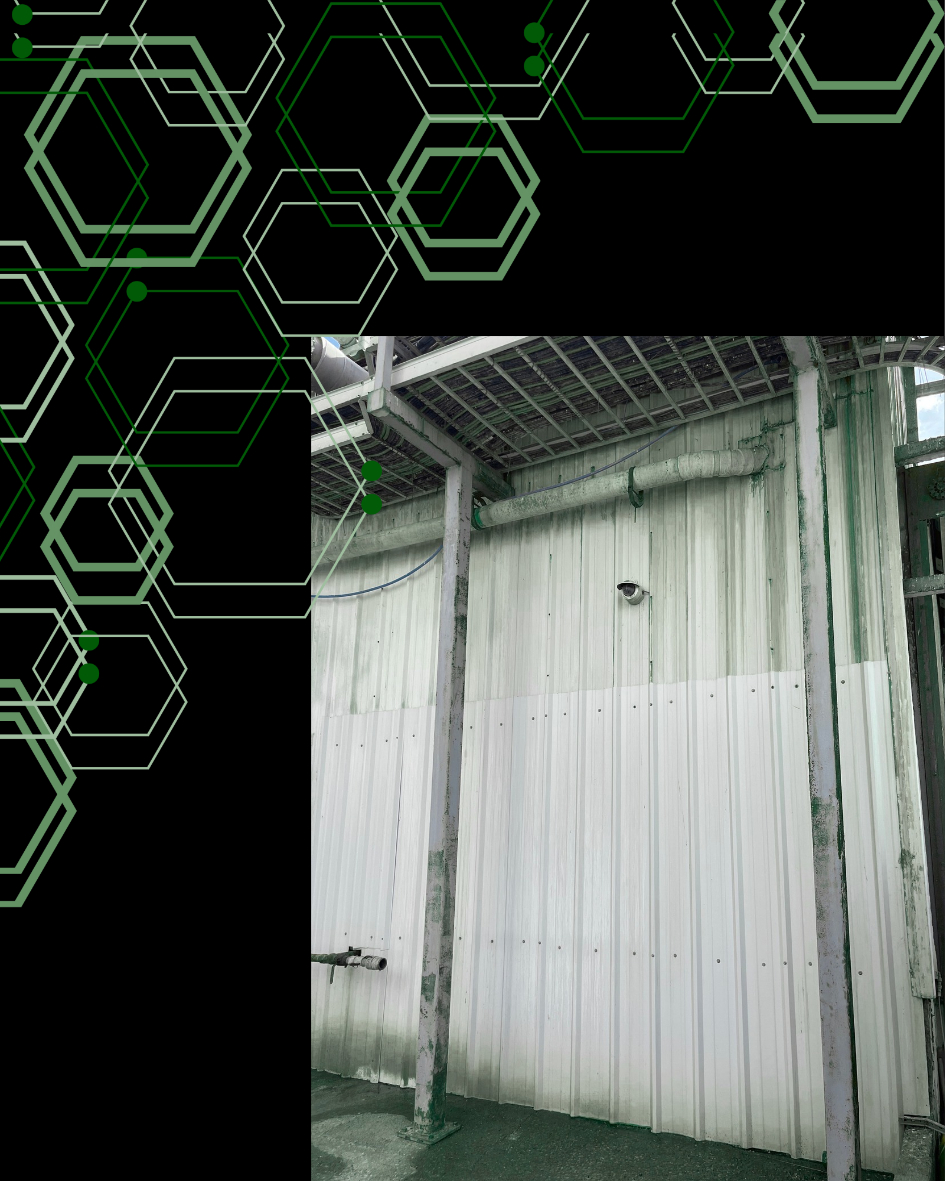
A Granado Technologies exterior infrastructure photo set shows why field conditions must be reviewed before equipment placement is finalized. The images document elevated outdoor equipment, varied mounting structures, exposed property areas, service enclosures, and cable routes between exterior devices and the supporting network.
The documented work centered on outdoor connectivity, not a camera deployment, but the physical planning lessons apply directly to exterior surveillance. A proposed camera location must provide the required angle while offering a secure mounting point, a protected cable path, network reach, weather protection, surge planning, and safe service access.
A pole may offer height but lack a practical cable route. A building corner may provide coverage but face direct glare. An enclosure may be close to the scene but have limited power, pathway, or switching capacity.
9. External Case Study: De Rocker Logistics Plans Complete Warehouse Coverage
An Axis Communications case study shows how De Rocker Logistics planned camera coverage for a 15,000-square-meter semiautomated distribution center in Belgium. The facility holds up to 12,000 pallets and includes multiple loading bays and docks, making blind-spot prevention and reliable exterior visibility central requirements.
Using a detailed floor plan and site-design software, the integrator mapped camera positions while estimating camera quantity, bandwidth, and storage needs. The completed system connected 32 cameras through Power over Ethernet and used different resolutions according to each camera’s position and purpose. Warehouse leaders could view live or recorded footage remotely, with access to recordings going back 30 days.
The project supports a point of effective loading dock security camera coverage: useful visibility depends on planning the view and its supporting infrastructure together. De Rocker Logistics needed coverage inside the warehouse and outside at loading areas so teams could identify causes after accidents or damage.
The lesson is not that every warehouse needs 32 cameras. Facilities should define views, calculate network and retention capacity, and validate remote access before installation.
10. Schedule a Camera Coverage Review
Loading docks and yards change throughout the day, so exterior camera planning must reflect real traffic, lighting, obstructions, and operating conditions. A structured review can identify blind spots, clarify viewing goals, verify infrastructure readiness, and establish recording requirements before equipment is purchased or installed.
Granado Technologies can support the complete onsite connection, including camera planning and installation, structured cabling, network integration, testing, documentation, and troubleshooting. The team can serve as a primary contractor or a responsive secondary partner working alongside internal IT, facilities teams, security leaders, or an existing national provider.
Ready to improve visibility around your docks and yard? Contact Granado Technologies to schedule a camera coverage review.
Continue reading
 Security Cameras
Transportation Yard Security Cameras: Key Considerations
Transportation Yard Security Cameras: Key Considerations Transportation yard security cameras give logistics teams a clearer view of vehicles, trailers, containers, employees, drivers, and visitors moving through an active…
 Security Cameras
Manufacturing Security Cameras: Avoiding Gaps in Coverage
Manufacturing Security Cameras: Avoiding Gaps in Coverage Manufacturing security cameras are most useful when they show the full path of an event, not just one moment in one…
 Security Cameras
Security Camera Planning for Industrial Sites Made Easy
Security Camera Planning for Industrial Sites Made Easy Security camera planning for industrial sites is about more than choosing cameras and deciding where to mount them. For companies…
Need expert IT, networking, or low-voltage support?
Our team designs, deploys, and supports IT, structured cabling, Wi-Fi, security cameras, and audio-visual systems for businesses across all 50 states — backed by 24/7/365 service and BICSI-certified installers.