


Warehouse Wireless Design, From Site Survey to Validation

When wireless goes down, production lines stall, scanners fail, and automated vehicles stop. Every minute of downtime hits your bottom line. Ensuring continuous, predictable wireless performance requires disciplined design and regular validation.
This article walks IT managers and infrastructure leaders through a clear, step-by-step approach to warehouse wireless design. The process covers predictive modeling, onsite RF surveys, access point placement, antenna selection for metal environments, validation testing, and ongoing monitoring. In addition, it explains how wireless work must be coordinated with structured cabling, network deployments, access control, and onsite IT support. Those same principles apply to both new builds and retrofits.
If you need help turning this plan into action, Granado Technologies offers responsive field services to design, deploy, and validate industrial wireless and wired infrastructure, and we can schedule a site survey or consultation to get you started. commercial IT services
Why wireless design matters in warehouses
Warehouse environments create many challenges for wireless. Metal racking, forklifts, and dense inventory reflect radio signals. Open bays and high ceilings change propagation patterns.
Handheld scanners, mobile printers, and AGVs move constantly. These factors lead to dead zones, intermittent connections, and poor roaming. Those problems cause rescans, lost transactions, and manual workarounds. That reduces throughput and raises labor costs.
Good wireless design prevents most of these problems. Design starts with requirements, not hardware. Define the applications and the performance they need. For example, a warehouse management system with real-time updates needs low packet loss and fast roaming.
Video for security or cameras on AGVs needs higher throughput. List device types, density, expected locations, and peak concurrency. From there, you can choose a wireless architecture that meets functioning needs.
Predictive design versus onsite RF survey
Predictive design simulates coverage using floor plans, material properties, and vendor models. It is fast and useful for planning, budgeting, and early procurement. Predictive models show likely coverage patterns and help estimate the number of access points. Use predictive design during pre-construction or when you plan a network deployment across multiple sites.
However, predictive design cannot replace an onsite RF survey. An RF survey measures real-world signal levels, interference sources, and noise. In current warehouses, surveys are done to see how the layout of racks, machines, and moving forklifts or wireless devices affect operations. Surveys also let teams validate mounting heights and antenna orientation.
Best practice is to combine both approaches. Start with predictive design to set expectations and to stage materials for a rollout. Follow with an onsite survey during acceptance testing and after major layout changes. This workflow reduces rework and helps prepare a reliable as-built record.
AP placement, antenna choice, and mounting in metal environments
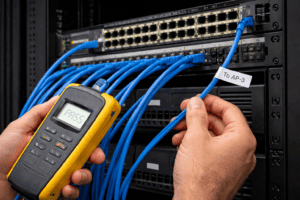
Proper access point placement is one of the most important design tasks in warehouses. Whenever possible, mount access points above racking height to reduce metal shadowing. This can also improve line-of-sight to handheld scanners and AGVs.
For low-bay aisles, ceiling mounting can be effective, though you must validate reflections and multipath. In very long aisles, directional antennas are often the best choice because they focus coverage along the lane, while all-directional antennas work better in wide open picking zones.
Select commercial-grade APs designed to survive warehouse conditions, with industrial mounting kits and protection against vibration and dust. Avoid placing APs behind metal columns, electronic panels, or directly over conveyors where equipment can periodically block signals.
Antenna selection matters, because directional antennas concentrate energy exactly where you need it, improving signal-to-noise ratio and reducing interference. Use vendor antenna patterns in your modeling tool, and match antenna type to mounting height and aisle geometry for predictable coverage.
Mounting hardware is not an afterthought either. Secure mounts resist vibration from machinery and forklifts. Tamper-resistant fasteners are wise for public-facing areas. Label all mounts. Moreover, include photos in the as-built documentation to simplify future maintenance and troubleshooting.
Channel planning, power settings, and roaming stability
Channel and power planning are essential for a stable wireless network. In warehouses, overlapping channels and high transmit power can create co-channel interference and roaming issues, so plan carefully.
Use 5 GHz where possible, because it offers more channels and less interference than 2.4 GHz. This band also supports higher throughput for cameras and AGVs. Plan channels so adjacent APs use non-overlapping channels. For 5 GHz, include DFS-aware planning and field validation.
Set transmit power to balance coverage and client performance. Excessively high AP power can keep clients tied to a distant AP and prevent efficient roaming. In contrast, lower power encourages better client behavior and smoother handoffs. Tune AP timers and client steering options to support fast roaming. Additionally, consider 802.11r and 802.11k where client devices support them for WMS scanning workflows.
Conduct spectrum analysis during the onsite survey to uncover interference sources such as cordless phones, Bluetooth devices, or industrial equipment that uses the ISM bands. Finally, always validate channel and power settings during peak operations. A channel plan that looks fine at idle can fail under the load created by many scanners and devices transmitting at once.
Validation testing and acceptance criteria
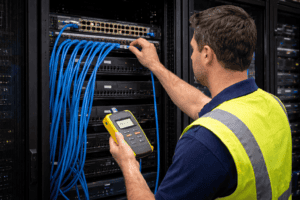
Validation testing turns a planned network into a proven network. Acceptance testing should measure both coverage and performance using the actual device types deployed in operations. Typical validation work includes heatmaps that show signal strength and data rates at the device heights and in the locations devices actually operate.
Perform roaming tests along common travel paths and measure handoff times and packet loss. Run transaction tests for WMS workflows to measure success rates and response times. In addition, conduct peak-load tests with many devices operating simultaneously to simulate busy shifts. Also run throughput tests in high-density zones and latency checks for time-sensitive applications.
Define clear acceptance criteria before testing begins. For example, require that 95 percent of the floor area meets a -67 dBm threshold for voice and scanning. Alternatively, set specific thresholds for acceptable packet loss and latency. Record test results, photos, and device logs in the as-built package. Require signed acceptance with test certificates to prevent disputes later.
Ongoing monitoring and maintenance
Wireless networks change as business operations change, so set up a monitoring program that keeps pace with the facility. Continuous performance monitoring should track packet loss, retries, and latency, and alert staff to increased interference, spectrum anomalies, or AP failures. Schedule regular RF health checks, particularly after layout changes or seasonal shifts. Manage firmware and configuration centrally using staged updates and verification windows. Periodic re-surveys are important after major facility changes or when new APs are added.
Tie the monitoring program to your onsite IT support plan so field teams can respond quickly when correction requires physical adjustments, new mounts, or cabling changes. Fast onsite response is essential to correct physical issues that monitoring alone cannot resolve.
Integrating wireless with structured cabling and network deployments
Wireless design does not stand alone. Access points need power, mounting, and backhaul. That is where structured cabling and network deployments make a difference.
Design the cabling layout to support access point density and redundancy. Use PoE design guidelines that support AP power needs, and plan spare ports in each IDF for growth. Document cable pathways and termination points in the as-built records. Tight coordination between wireless teams and cabling crews reduces installation rework and speeds acceptance.
If you manage multi-site rollouts, standardize the bill of materials, pre-stage kitting, and deployment runbooks. Consistency helps you scale without reinventing testing and validation at each site.
Learn more about professional structured cabling and network deployments on our services pages for structured cabling and network deployments. Our team can help design and deploy the structured cabling and network infrastructure your wireless needs, from PoE provisioning and redundant backhaul to spare IDF ports, standardized bills of materials, and pre-staged kitting for multi-site rollouts. We can walk through the deployment plan with you; start here: contact our team.
Security and access control considerations
Wireless and security systems typically share the same physical infrastructure, so plan access control and camera systems as part of the overall deployment rather than as an afterthought. Segment security devices on separate VLANs and enforce firewall rules between OT, IT, and security networks.
Provide appropriate PoE planning for cameras and readers, and test failover power where necessary. Validate video and access control traffic under realistic loads to ensure performance during operations. Coordinate access control cabling and camera mounts with your structured cabling and wireless AP plan to avoid last-minute changes.
For installation and support, combine wireless repair with access control and onsite IT support so a single vendor can validate end-to-end behavior and handle field fixes promptly. That integrated approach reduces surprises and shortens the path from issue detection to resolution.
Case study: proven results from disciplined wireless design
A strong example of how disciplined wireless design delivers outcomes is Atlantic’s “Henkel Global WLAN Modernization” case study. That global modernization used a phased, standards-driven approach predictive design and planning, onsite RF surveys to capture real-world interference, and targeted improvement to address coverage and roaming. It also included validation testing to prove performance under operational load. The result was measurable improvements in wireless reliability and operational uptime across Henkel’s sites. Notably, the lessons from that deployment translate well to warehouses and distribution centers in San Antonio and across Texas.
Bringing it together, and a simple next step
Warehouse wireless design requires both careful planning and real-world validation. Start with requirements and predictive design. Follow with a thorough onsite RF survey. Choose APs and antennas for the environment. Tune channel and power settings. Validate performance with real devices under peak loads. Finally, link wireless work to structured cabling, certified network deployments, access control, and a robust onsite IT support program so you can act quickly when the floor changes.
Our team helps industrial IT leaders design, deploy, and validate wireless networks that support warehouse management systems, AGVs, and IoT. If you want a wireless site survey, a structured cabling estimate, or a quick test run to validate coverage, our team is ready to help.
Contact us to schedule a wireless health check or a consultation.
Author and credentials
By Granado Technologies Infrastructure Team
Granado Technologies delivers onsite IT support, structured cabling, network deployments, and access control for manufacturing, warehousing, and logistics sites. Our team includes certified network engineers and field technicians with experience in single-site and multi-site rollouts.
Continue reading
 IT Infrastructure
 Warehouse Wi-Fi: Planning Around Racks, Aisles, and Mobile Devices
Warehouse Wi-Fi: Planning Around Racks, Aisles, and Mobile Devices Warehouse wifi planning connects wireless design to work on the floor. Scanners must remain connected from receiving through shipping.…
 IT Infrastructure
 How to Standardize Network Upgrades Across Multiple Locations
How to Standardize Network Upgrades Across Multiple Locations Multi-site network upgrade planning helps retail and distributed organizations replace one-off dispatches with a repeatable process. When locations use different…
 IT Infrastructure
 Warehouse Network Infrastructure: How to Keep Scanners, Cameras, and WMS Connected
Warehouse Network Infrastructure: How to Keep Scanners, Cameras, and WMS Connected Warehouse network infrastructure affects nearly every connected workflow. Scanners need reliable Wi-Fi between aisles. Security cameras need…
Need expert IT, networking, or low-voltage support?
Our team designs, deploys, and supports IT, structured cabling, Wi-Fi, security cameras, and audio-visual systems for businesses across all 50 states — backed by 24/7/365 service and BICSI-certified installers.