

Before Year-End Projects: A Network Infrastructure Readiness Checklist
A network infrastructure readiness checklist helps industrial and manufacturing teams prepare for year-end upgrades, closures, reduced staffing, and new projects. It gives IT, operations, and facilities leaders a shared view of risk before a maintenance window begins.
The goal is to identify open issues, confirm that critical systems can support upcoming work, and resolve gaps likely to cause downtime. A structured review also helps leaders use remaining budgets thoughtfully.
1. Why a Network Infrastructure Readiness Checklist Matters Before Year-End
Year-end conditions can magnify small infrastructure problems. Production schedules may change, facilities may close for maintenance, and knowledgeable employees may be on vacation. Meanwhile, IT may be preparing equipment refreshes, line moves, expansions, or January cutovers.
A readiness review shows which problems need correction before a shutdown, which work belongs inside the maintenance window, and which upgrades can wait. It also clarifies responsibilities, approvals, outage expectations, and recovery plans.
For multi-location manufacturers, the checklist can become a repeatable standard. Sites may have different equipment and constraints, but each review should capture the same information. Consistency makes budgets easier to compare and reduces last-minute questions.
2. Review Open Network Issues
Begin with known problems. Review help desk tickets, monitoring alerts, prior site reports, and production complaints. Recurring outages, intermittent ports, unstable uplinks, damaged cabling, and unexplained slowdowns deserve attention even when systems currently work.
Document unsupported hardware, expiring warranties, incomplete installations, temporary connections, and capacity limits. An issue list should include the affected area, business impact, workaround, owner, and next action.
This separates symptoms from project requirements. Unreliable scanners may indicate wireless, cabling, switching, or application problems. Confirming the cause prevents teams from spending a limited maintenance window on the wrong fix.
3. Check Rack and Equipment Capacity
Network rooms often reveal whether a facility is ready for more equipment. Confirm rack units, mounting hardware, airflow, grounding, and service clearance. Technicians should be able to reach devices without disturbing active connections.
Check switch ports, port speed, Power over Ethernet capacity, uplink utilization, and redundancy requirements. A switch with empty ports may still lack enough PoE budget for new access points or cameras. Also review firmware, support, backups, and end-of-life dates.
A network infrastructure review connects these details to the project. If an expansion needs 20 new drops, plan for patch-panel space, switch capacity, optics, uplinks, and power before installation.
4. Verify Power Protection and Recovery
Network equipment depends on stable power. Inspect each UPS for age, battery condition, load, runtime, alarms, and management status. Confirm that critical devices use the intended protected outlets.
Review surge protection, grounding, power strips, and circuit labels. Remove unsafe daisy chains and identify shared circuits. If a generator supports the room, verify its protected outlets and transition time.
Document the startup order, shutdown process, and escalation path. Remote staff should know what onsite personnel must check before power-cycling equipment. Clear instructions can prevent a minor event from becoming a prolonged outage.
5. Audit Structured Cabling
The physical layer belongs in every network infrastructure readiness checklist. Inspect copper and fiber for damage, tight bends, poor support, exposed terminations, and full pathways. Check patch panels, enclosures, patch cords, labels, and cable management.
Compare labels at the outlet, patch panel, and switch. Mismatches waste time during a cutover. Review test results and identify questionable links before they carry new production, wireless, camera, or access-control traffic.
Map planned additions against pathway capacity and distance limits. Professional structured data cabling creates a cleaner upgrade foundation and discourages temporary runs from becoming permanent.
6. Review Internet and Backup Connectivity
Confirm that primary internet service meets current performance and reliability needs. Review recent outages, packet loss, latency, bandwidth utilization, ISP equipment, circuit details, and renewal dates. Keep account numbers and escalation contacts accessible to authorized staff.
Then test backup connectivity. A secondary circuit or cellular modem provides value only if it activates correctly and can carry essential traffic. Confirm signal quality, data-plan limits, firewall or SD-WAN policies, and which applications receive priority during failover. Test both the transition to backup service and the return to the primary connection.
Remote access should also be validated before a closure. Confirm that approved administrators can securely reach monitoring and management tools without depending on someone inside the facility.
7. Confirm Wireless and Camera Readiness
Wireless devices and IP cameras share dependencies with the wired network. Review access-point coverage in receiving, production, storage, loading, and transition areas. Look for disconnects, roaming problems, channel congestion, high client counts, and layout changes that may have altered signal behavior. A professional Wi-Fi deployment assessment can distinguish a coverage problem from an upstream network issue.
For security cameras, confirm device status, useful views, PoE availability, recorder health, storage capacity, retention, time synchronization, and remote viewing. Address critical blind spots before a shutdown leaves fewer people onsite.
8. Plan Access, Scheduling, and Change Control
A sound technical plan can still fail when site logistics are unclear. Document holiday hours, restricted areas, required escorts, safety orientation, lift needs, loading access, and local contacts. Confirm whether remote IT, vendors, and application owners will be available during the maintenance window.
Every change should have an approved scope, named decision-maker, communication plan, expected outage, validation steps, and rollback procedure. Record configuration backups before work begins. Define what would trigger a rollback and how long the team can troubleshoot before service must be restored.
For active manufacturing sites, coordinate with operations around production schedules, sanitation, inventory movement, and equipment lockout requirements. These details protect the timeline and keep technical work from disrupting other teams.
9. Update Documentation and Spare Inventory
Accurate documentation shortens diagnosis when staffing is limited. Update rack elevations, port maps, network diagrams, device lists, circuit records, IP information, warranties, and vendor contacts. Record who owns credentials and where authorized recovery information is stored without placing passwords in general project documents.
Check spare switches, access points, optics, patch cords, power supplies, and UPS batteries. Confirm that stock is compatible, labeled, and actually available rather than assigned to another project. Multi-location teams should know which spares stay onsite and which can be shipped from a central location.
The closeout standard should require labeled photos, test results, serial numbers, configuration notes, exceptions, and stakeholder approval. Good records allow a secondary vendor or unfamiliar technician to help without starting from zero.
10. Project Example: Network Equipment Installation and Rack Organization
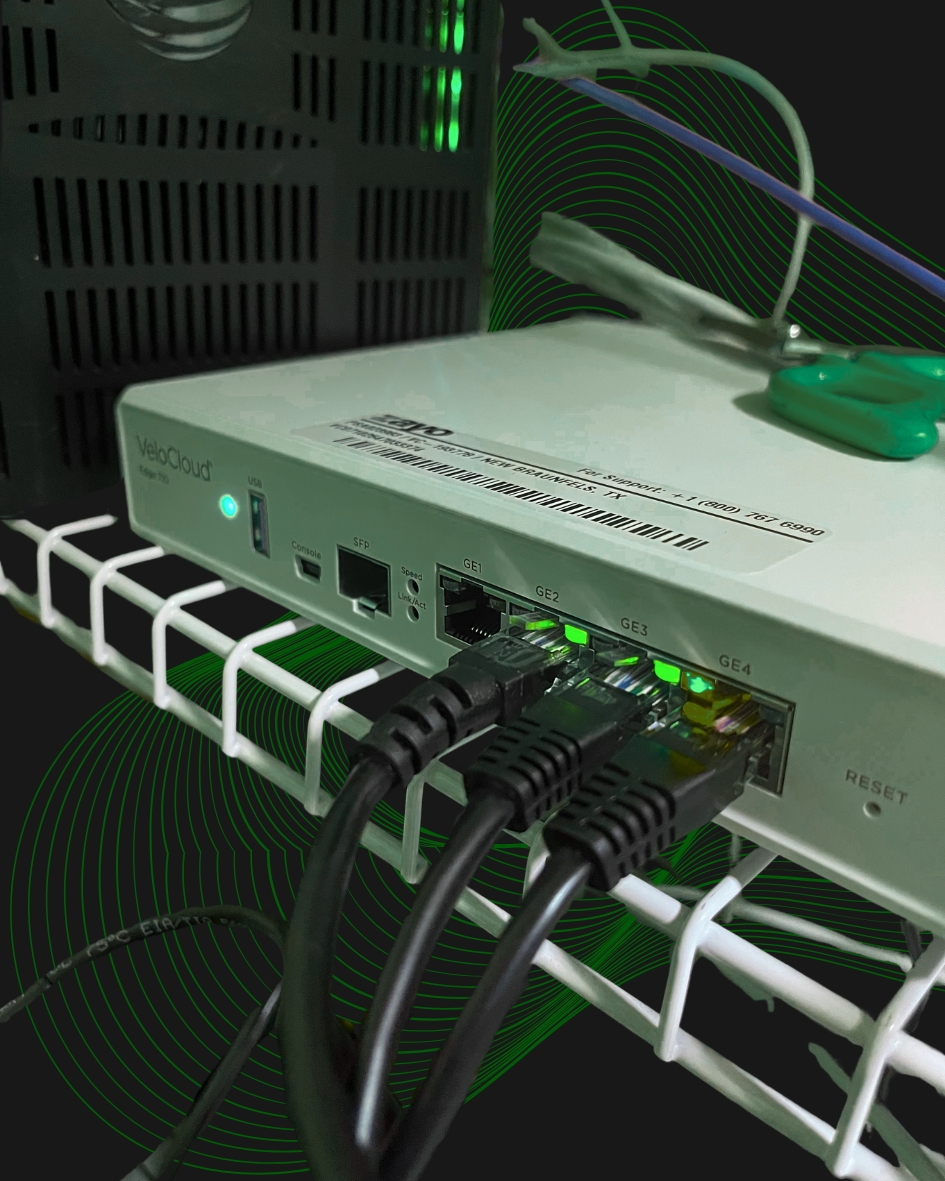
An anonymized Granado Technologies project shows how a focused equipment installation can expose readiness dependencies before a larger initiative. The scope included placing an SD-WAN edge device, managed power equipment, a network switch, cellular failover equipment, and a new wireline connection in an existing rack.
The technician followed defined power and network port assignments, verified the cellular connection, connected both primary and backup transports, and migrated existing LAN connections to the new switch. Remote coordination was used to activate services and confirm that the equipment was online through both connections.
Labeling, final photos, uploaded records, and closeout notes completed the work. The practical lesson is that equipment placement alone is not readiness. Rack space, power, cabling, port maps, carrier handoffs, failover, remote support, and validation must work together. Turning those items into a repeatable checklist helps IT identify missing prerequisites before a larger upgrade or cutover begins.
11. Industry Case Study: ŠKODA AUTO Modernizes Its Manufacturing Network
An Extreme Networks case study provides a relevant example of readiness at manufacturing scale. ŠKODA AUTO had outgrown a legacy network that had become difficult to manage and troubleshoot. Applying upgrades and deploying new services required downtime and out-of-hours staffing, conditions that will sound familiar to many plant IT teams planning shutdown work.
The manufacturer moved to a simpler virtualized network architecture. According to the published case study, the new environment improved network performance and stability, strengthened access controls, made it easier to deploy manufacturing services, and significantly shortened downtime for network upgrades and maintenance. Business-critical manufacturing management and enterprise resource planning applications also performed better.
The takeaway is not that every plant needs the same architecture. It is that readiness work should reduce complexity before important changes. A useful network infrastructure readiness checklist surfaces aging equipment, difficult configurations, maintenance dependencies, and staffing requirements early enough to create a controlled transition plan.
12. Book a Year-End Network Infrastructure Review
Year-end projects are easier to execute when the facility, vendors, and internal stakeholders are working from the same verified information. A readiness review turns scattered concerns into a prioritized plan covering equipment, power, cabling, connectivity, wireless systems, cameras, scheduling, documentation, and recovery.
Granado Technologies can serve as a responsive primary partner or provide secondary onsite support alongside an internal IT team, managed service provider, or national vendor. The focus stays on practical infrastructure needs, clear communication, and complete closeout documentation.
Use this network infrastructure readiness checklist before the next shutdown, refresh, or expansion. To identify gaps and prepare a workable project plan, contact Granado Technologies to book a year-end network infrastructure review.
Continue reading
 IT Infrastructure
A Better Closeout Standard for Multi-site Technology Work
A Better Closeout Standard for Multi-site Technology Work A multi-site technology closeout checklist gives IT and operations teams a consistent record of what happened at every location. It…
 IT Infrastructure
Warehouse Wi-Fi: Planning Around Racks, Aisles, and Mobile Devices
Warehouse Wi-Fi: Planning Around Racks, Aisles, and Mobile Devices Warehouse wifi planning connects wireless design to work on the floor. Scanners must remain connected from receiving through shipping.…
 IT Infrastructure
How to Standardize Network Upgrades Across Multiple Locations
How to Standardize Network Upgrades Across Multiple Locations Multi-site network upgrade planning helps retail and distributed organizations replace one-off dispatches with a repeatable process. When locations use different…
Need expert IT, networking, or low-voltage support?
Our team designs, deploys, and supports IT, structured cabling, Wi-Fi, security cameras, and audio-visual systems for businesses across all 50 states — backed by 24/7/365 service and BICSI-certified installers.