


A Better Closeout Standard for Multi-site Technology Work
A multi-site technology closeout checklist gives IT and operations teams a consistent record of what happened at every location. It records the installation, testing, site conditions, and final acceptance. That record matters when locations rely on different contacts and technicians.
Without a standard, completed work can create new questions. A device may be online, but nobody recorded its port. Photos may exist, but they do not show the surrounding rack. A technician may note an exception without explaining who approved it. When the next issue occurs, internal IT must reconstruct the visit before support can begin.
Better closeouts reduce that uncertainty. They give project managers a reliable basis for approval, help support teams troubleshoot remotely, and make the next rollout easier to plan.
1. Inconsistent Closeouts Create Long-Term Costs
The cost of a weak closeout rarely appears on the original work order. It appears later through extra emails, delayed billing, repeated dispatches, and longer outages.
Missing photos force support teams to ask whether technicians installed the correct device. Unclear labels make technicians trace cables during a future visit. Incomplete test results leave IT unsure whether technicians verified or simply connected the link. Unknown exceptions can turn an approved field decision into a dispute weeks later.
As a result, these gaps become more expensive across many locations. If ten technicians document the same scope ten different ways, project leadership cannot compare results quickly. A multi-site technology closeout checklist creates one definition of complete for every technician, site, and wave of work.
Teams should design the checklist before dispatch. Technicians need to know the required evidence, naming convention, and issues that prevent them from closing the job.
2. Define the Required Site Information
Every closeout should begin with basic site information. Record the location name, full address, internal site number, work-order or project number, service date, and technician name. Include arrival and departure times so project managers can compare planned and actual effort.
Document the onsite contact and anyone who provided access, approved a change, or verified the final result. Access notes should cover alarms, loading areas, roof access, keys, escorts, parking restrictions, and working hours.
The work-performed summary should be specific enough for someone who was not present. “Installed switch” is incomplete. A useful entry identifies where the switch was mounted, what it replaced or connected, and whether cabling, configuration, testing, or cleanup was included.
Consistent site information helps multi-site services teams coordinate future visits without repeating basic discovery.
3. Standardize Equipment Documentation
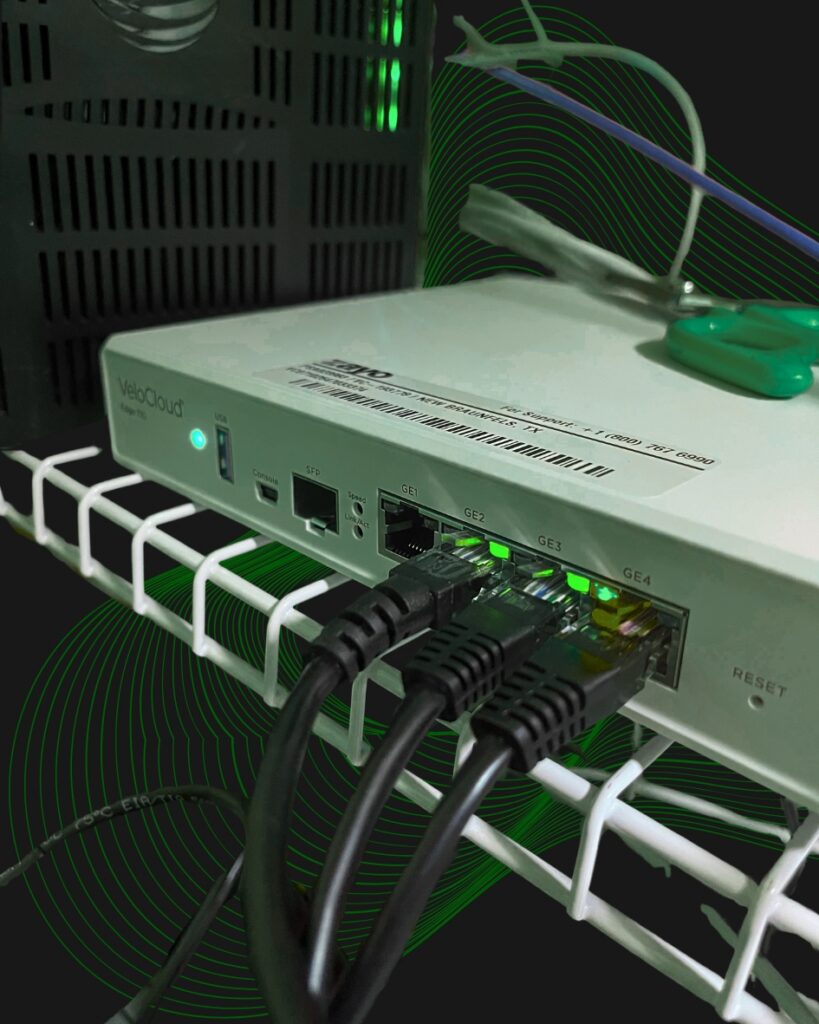
Equipment records should connect each physical device to the project plan and network environment. Capture manufacturer, model, approved serial number, asset tag, rack or room position, switch port, uplink, power source, and mounting method when applicable.
For network equipment, document the rack unit, connected patch-panel ports, management connection, uplink destinations, and UPS or power-distribution connection. For access points, cameras, kiosks, printers, and other edge devices, record the serving switch port and physical location.
Technicians should capture required serial numbers and store them in the approved system. Avoid placing sensitive configuration details, passwords, or unrestricted network information in general photo folders. The closeout standard should define what belongs in the work order, asset platform, password manager, or restricted project record.
This level of documentation gives network infrastructure teams a usable inventory instead of a collection of disconnected notes.
4. Create Repeatable Photo Requirements
“Take pictures” is not a photo standard. A repeatable sequence should show the work from context to detail.
Start with a wide view of the workspace, rack, counter, ceiling area, or equipment room. Add a medium view showing where the device sits in relation to nearby equipment. Then capture close-ups of the installed device, connections, mounting, cable routing, labels, power, and test screen.
Include before and after photos when technicians replace, move, clean, or reorganize equipment. Photograph existing damage or an out-of-scope condition before work begins. The finished-workspace photo should confirm that packaging, loose cable, tools, and debris were removed.
Finally, set simple quality rules. Images should be in focus, properly lit, correctly oriented, and free of unrelated people or sensitive information. Each photo should answer a defined question.
5. Require Objective Validation
A closeout should prove that the intended service works. The required test depends on the scope, but the result should be objective and repeatable.
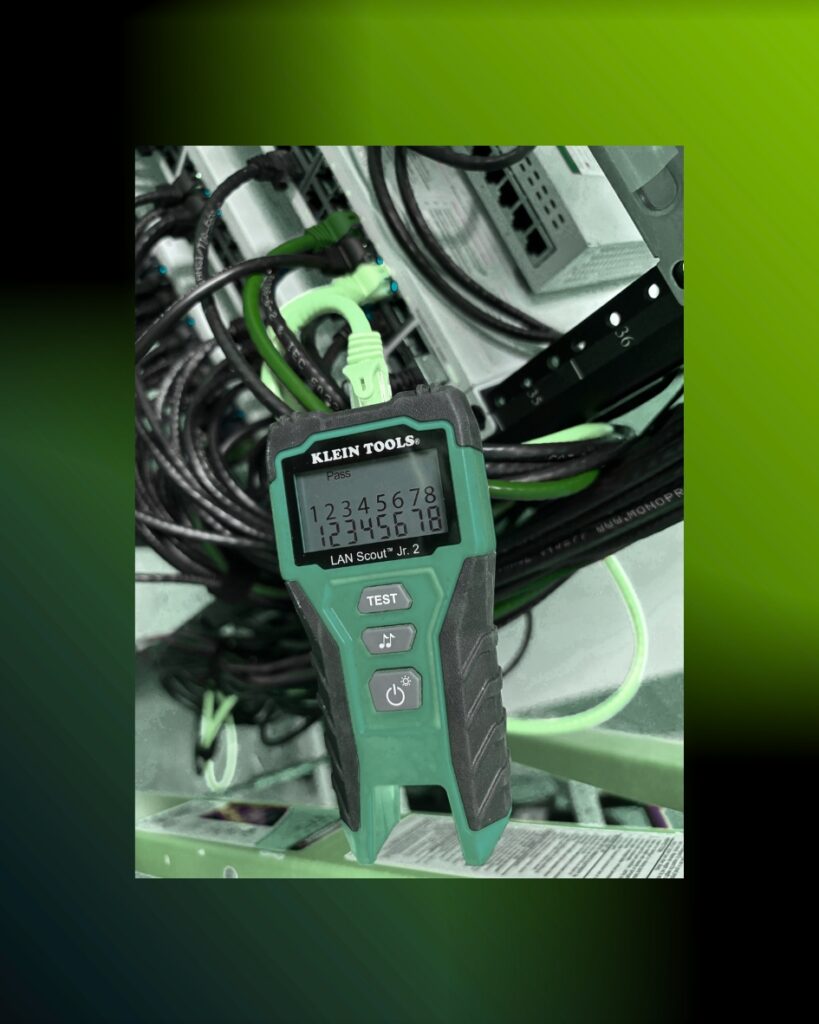
For network work, validation may include physical link status, switch-port state, device reachability, negotiated speed, internet access, VLAN assignment, PoE delivery, throughput, or failover. Camera validation may include live viewing, recording, timestamps, retention, and remote access. Meanwhile, point-of-sale device or workstation validation may also include login, printing, transaction flow, application access, or another approved user workflow.
Teams should tie screenshots and test-tool results to the correct device or cable identifier. A speed test without the location, connection type, or target can be misleading. A green link light does not prove that the device reached the correct service.
The multi-site technology closeout checklist should separate required tests from optional observations. It should also state the acceptable result and define what happens when a test fails.
6. Capture Exceptions and Approvals
Multi-site work rarely unfolds exactly as a drawing predicts. A rack may be full, a circuit may be unavailable, a shipment may be missing hardware, or the local contact may restrict access to part of the site.
An exception record should describe the condition, its effect on the scope, the temporary or permanent action taken, and the person who approved that action. Add supporting photos and identify any remaining risk or follow-up requirement.
Avoid vague notes such as “could not complete.” Explain what prevented completion and what is needed next. If a return visit is required, list the materials, access, remote support, configuration, or scheduling dependency that must be ready first.
Change control distinguishes onsite workarounds from the original design and gives project leadership a clear list of open items.
7. Include the Onsite Handoff
Before departure, record who reviewed the work and what the technician demonstrated. This may be a store manager, facilities contact, branch employee, site lead, or remote IT representative.
The handoff can confirm restored connectivity, device operation, workspace condition, keys returned, old equipment disposition, and any operating instructions. For after-hours work, the standard should define an approved remote sign-off or next-morning validation process.
However, onsite approval does not replace technical testing. It confirms that the site understands the result and that the technician addressed obvious operational concerns before leaving.
8. Make Every Closeout Package Searchable
A good package loses value if nobody can find it. Use the same folder structure and filename format across every location. A practical convention may include the date, site number, city, project or AP number, device type, and view description.
For example, 2026-11-06_Store104_AP2456_Rack_After.jpg is more useful than IMG_4821.jpg. Keep the project identifier consistent across photos, test results, sign-off forms, asset records, and invoices.
In addition, organize files by program, wave, location, and visit. Use controlled status terms such as complete, complete with exception, return required, and awaiting approval. Searchable records let support teams find the latest rack photo or port map without asking a project manager.
The multi-site technology closeout checklist should also define retention, access permissions, and the system of record. One approved location prevents final evidence from being divided among email, text messages, personal phones, and unrelated cloud folders.
9. Case Study: Documentation That Reduced Site Revisits
A published Field Nation case study describes a managed services company supporting project and break-fix work across industries that included retail. The company consolidated more than 85 percent of its work orders onto one field-service platform and required technicians to complete milestones and documentation before leaving the site.
Field Nation reports that the company completed more than 24,000 work orders and achieved 30 percent fewer site revisits through higher-quality, prequalified technicians. App-based milestone tracking and documentation saved 10 to 20 minutes per job, eliminated manual follow-up, and accelerated billing by about one week.
The case study does not suggest that documentation alone produced every improvement. Technician quality, sourcing, platform integration, and consistent processes also contributed. Still, it demonstrates an important closeout principle: evidence technicians gather before departure can support faster review, fewer avoidable returns, and more efficient billing.
For retail and commercial operators, the lesson is practical. Closeout steps should be part of field execution, not an administrative task teams add after the technician leaves.
10. Build a Repeatable Closeout Standard
A multi-site technology closeout checklist should make completion easy to verify and future support easier to deliver at scale. Start with required site information, equipment records, photo views, objective tests, exception details, and onsite approval.
Granado Technologies can help retail and commercial organizations build that process into network upgrades, equipment deployments, cabling work, troubleshooting, and nationwide field support. The team can act as a primary vendor or a responsive secondary partner working within an existing program.
Ready to improve consistency across your locations? Contact Granado Technologies to build a repeatable closeout standard.
Continue reading
 IT Infrastructure
Before Year-End Projects: A Network Infrastructure Readiness Checklist
Before Year-End Projects: A Network Infrastructure Readiness Checklist A network infrastructure readiness checklist helps industrial and manufacturing teams prepare for year-end upgrades, closures, reduced staffing, and new projects.…
 IT Infrastructure
Warehouse Wi-Fi: Planning Around Racks, Aisles, and Mobile Devices
Warehouse Wi-Fi: Planning Around Racks, Aisles, and Mobile Devices Warehouse wifi planning connects wireless design to work on the floor. Scanners must remain connected from receiving through shipping.…
 IT Infrastructure
How to Standardize Network Upgrades Across Multiple Locations
How to Standardize Network Upgrades Across Multiple Locations Multi-site network upgrade planning helps retail and distributed organizations replace one-off dispatches with a repeatable process. When locations use different…
Need expert IT, networking, or low-voltage support?
Our team designs, deploys, and supports IT, structured cabling, Wi-Fi, security cameras, and audio-visual systems for businesses across all 50 states — backed by 24/7/365 service and BICSI-certified installers.