

Warehouse Network Infrastructure: How to Keep Scanners, Cameras, and WMS Connected
Warehouse network infrastructure affects nearly every connected workflow. Scanners need reliable Wi-Fi between aisles. Security cameras need stable network and Power over Ethernet connections. Workstations, printers, tablets, sensors, and warehouse management system users depend on the same physical and wireless foundation.
When that foundation is inconsistent, the symptoms may look unrelated. A scanner disconnects in one aisle, a camera becomes unavailable, or a WMS transaction times out. The application may not be the problem. The issue may begin with coverage, cabling, switching, power, or an overloaded uplink.
A practical plan connects network design to workflows, physical conditions, device demand, and growth across one warehouse or multiple locations.
1. Start With Workflows and Zones
Begin with what the warehouse must accomplish, not a device list. Map receiving, put-away, picking, replenishment, packing, shipping, returns, offices, cold storage, yards, and other zones. Identify the systems used in each area.
Identify where employees scan, print, confirm inventory, review orders, or communicate. Note where cameras record priority activity and fixed equipment connects. Include busy periods, shift changes, seasonal volume, and temporary staging.
For each zone, record the cost of a lost connection in practical terms. A brief interruption at a supervisor desk may be inconvenient. The same interruption during high-volume picking or trailer loading can delay transactions, create manual work, and make inventory status less dependable.
If a scanner loses connection between receiving and storage, evaluate that travel path. If a camera protects a loading area, include its switch, PoE supply, cabling, and uplink in the review.
Warehouse network infrastructure works best when IT understands each weak zone’s operational impact and operations understands how new racks or equipment affect coverage and pathways.
2. Account for Building Materials, Aisles, and High-Bay Conditions
Metal racks, inventory, concrete, insulated panels, machinery, vehicles, and high ceilings can absorb, reflect, or redirect wireless signals. Coverage changes as racks fill and product types change.
An empty floor plan can miss these conditions. High-mounted access points may show broad coverage without delivering the performance a scanner needs between loaded racks. Metal, obstructions, or poor angles can create uneven service.
Document ceiling and rack heights, aisle width, building materials, refrigerated areas, equipment movement, and mounting limits. Include mezzanines, dock doors, outdoor transitions, and connected production zones.
Follow predictive planning with onsite validation under representative conditions. The goal is usable coverage where devices work, not signal visible on a map.
3. Plan for Device Density and Roaming
Wireless may support scanners, tablets, phones, laptops, mobile printers, sensors, and vehicle-mounted terminals simultaneously. Cameras and fixed workstations may share switches and uplinks through wired connections.
Count devices by zone and during peak activity. A packing area may have more users than a storage aisle, while shift changes concentrate devices near clocks, break areas, or staging.
Roaming is as important as coverage. A handheld device must transition between access points without delaying a transaction. Performance depends on design, configuration, client capabilities, and the application.
Test the actual device models used on the floor. A laptop can perform differently from an older scan gun. Record wireless bands, authentication, client capabilities, and software requirements.
4. Place Access Points Around Real Coverage Needs
Do not place access points in a simple grid without considering aisle direction, rack height, device position, interference, and mounting access. Warehouses may require different antennas or mounting approaches than offices.
Define coverage and capacity goals by zone. Review locations, cable routes, lift requirements, power, environmental exposure, and service access. Avoid positions likely to be blocked by racks, signs, machinery, or inventory.
After installation, test connectivity, throughput, latency, packet loss, and roaming along normal work paths. Check busy areas and coverage edges. Confirm scanners complete real transactions and reconnect after sleep or battery changes.
Validation should occur after racks and inventory are in place whenever possible. Test at the heights where handheld and vehicle-mounted devices operate, not only from a technician’s laptop. Recheck the environment after major layout changes because new shelving, machinery, or product density can alter coverage that previously met the requirement.
Validate warehouse network infrastructure with a repeatable acceptance process, especially across multiple facilities.
5. Validate Switching, PoE, and VLAN Capacity
Access points and IP cameras depend on switching. Review ports, PoE budgets, uplinks, performance, rack space, cooling, power protection, and management before adding devices.
An open port does not guarantee power for another device. Calculate total PoE demand with room for expansion. Uplinks should support wireless, video, voice, business-system, and management traffic at peak use.
VLANs can separate scanners, cameras, guests, voice, facilities technology, and administrative systems. Plan segmentation with routing, firewall rules, authentication, monitoring, and support. One-off exceptions complicate troubleshooting.
Granado Technologies’ network infrastructure services support assessments, switching, Wi-Fi integration, segmentation, testing, and documentation.
6. Plan Cat6, Cat6A, and Fiber Backbones
Wireless still depends on wires. Copper typically connects access points, cameras, workstations, printers, and other edge devices. Fiber can connect MDFs, IDFs, buildings, or areas where distance, bandwidth, or electrical conditions make copper less suitable.
Select Cat6, Cat6A, fiber, pathways, and terminations based on performance, distance, environment, PoE, and growth. Consider support, bend radius, electrical separation, rated spaces, moisture, temperature, and protection.
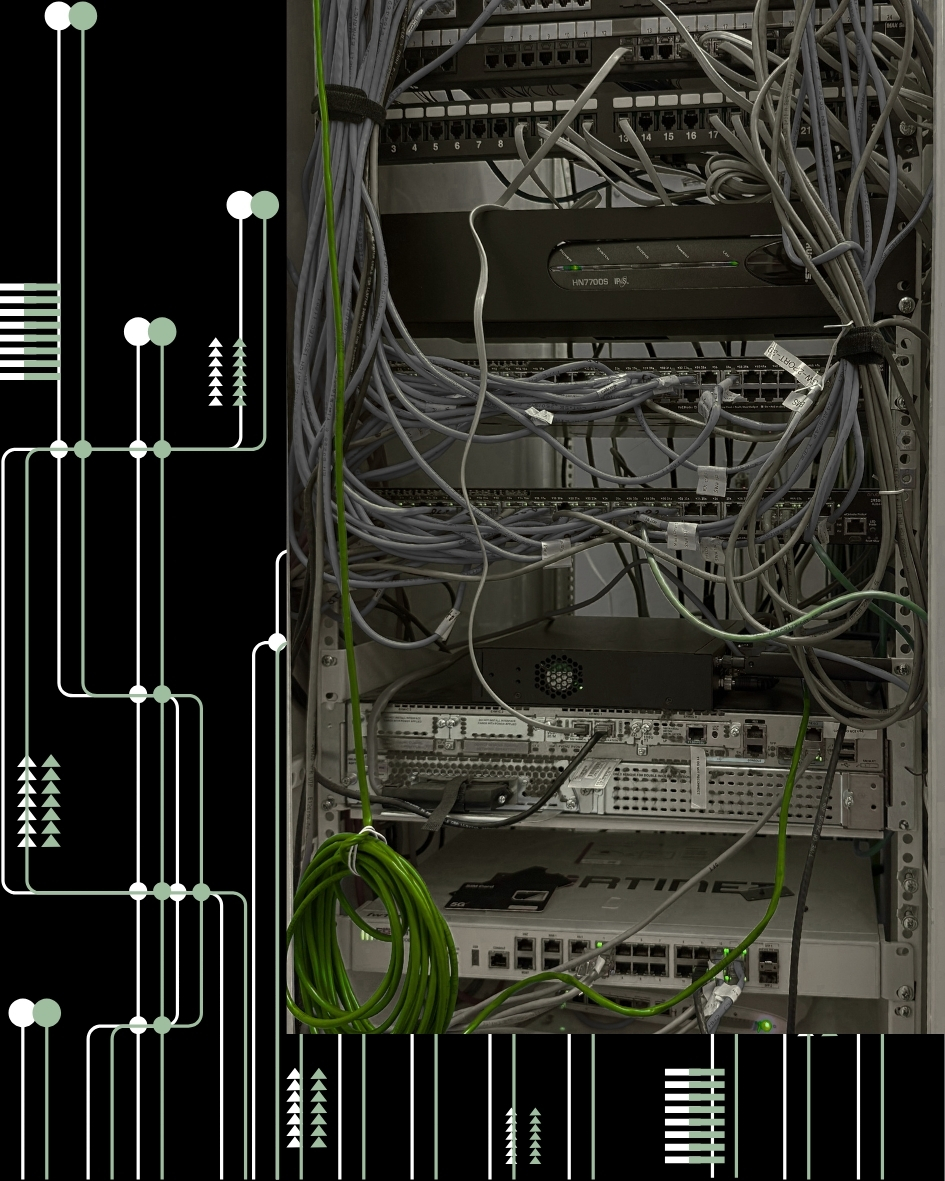
Label, test, and document every run. Closets need organized patch panels, cable management, required grounding, rack capacity, and identified uplinks. Professional structured data cabling gives warehouse network infrastructure a serviceable physical layer.
7. Build Redundancy and Recovery Into the Plan
Redundancy needs vary, but every site should understand critical failure points. Review what happens if the internet circuit, firewall, core switch, uplink, controller, power, or key access point fails.
Options include backup internet or cellular, redundant uplinks, UPS coverage, spares, configuration backups, alternate paths, and replacement procedures. Choose based on operational impact, recovery goals, budget, and support.
Recovery planning should also identify which functions can continue locally. Some WMS workflows may require outside connectivity, while local camera recording, printing, or internal wireless communication may remain available. Documenting these dependencies helps leaders prioritize restoration and gives supervisors a practical procedure during an outage.
Test recovery plans. An unused backup circuit or unverified configuration may not provide protection. Define alert owners, change approval, onsite support, and how work continues during a partial outage.
8. Test and Document the Finished Environment
Connect technical testing with operational use. Validate wired links, access points, PoE, uplinks, internet paths, authentication, VLANs, roaming, and applications. Test scanners in aisles and cameras at normal settings.
Security cameras can place sustained demand on switching, storage, and uplinks. Confirm they remain reachable, recordings can be retrieved, timestamps are synchronized, and alerts reach the correct owner.
Document diagrams, access-point maps, SSIDs, VLANs, IP ranges, switch and patch-panel ports, cable tests, fiber records, inventories, warranties, and escalation contacts. Use one multi-site closeout format.
9. Leave Capacity for Expansion
Growth may add scanners, cameras, automation, sensors, workstations, dock systems, racks, or new zones. A design that fills every port, pathway, or PoE budget creates another project when operations change.
Review growth with operations, facilities, IT, and leadership. Reserve rack space, pathways, switch ports, PoE headroom, fiber strands, addressing, storage, and licensing. Mark future device locations.
For multi-site companies, standardize approved equipment, naming, segmentation, testing, diagrams, and closeout documents. Layouts vary, but consistent warehouse network infrastructure makes expansion, budgeting, and support more predictable.
Granado Project Example: Warehouse Wi-Fi Connectivity Survey
Granado Technologies completed an onsite Wi-Fi connectivity survey for a commercial warehouse with coverage concerns. The scope included warehouse, office, and front-counter zones.
The technician tested speed and ping response, located access points, and documented models, LED status, and mounting. The work also checked connections between access points, switch ports, and the wireless controller and reported offline devices or suspected cabling problems.
This approach gave the internal team a structured view of the environment instead of a single speed-test result. It also created a useful baseline for deciding where further troubleshooting or infrastructure work was justified.
The example shows why an assessment should examine the complete path. A scanner problem may begin with RF coverage, an access point, switch port, cable, controller, uplink, or client configuration. Documented testing helps IT choose between tuning, repair, cabling, replacement, or redesign.
Schedule a Warehouse Network and Wi-Fi Assessment
Granado Technologies can support industrial, warehouse, logistics, and multi-location organizations as a primary onsite infrastructure vendor or a responsive secondary partner working with internal IT teams and existing providers. Bringing Wi-Fi, switching, cabling, and connected devices into one assessment helps reduce handoffs and creates a clearer improvement plan.
If your team is reviewing warehouse network infrastructure across several sites, use the assessment to compare each location against the same coverage, switching, cabling, recovery, and documentation criteria. That shared baseline helps prioritize the highest-risk gaps first while keeping future upgrades consistent and easier for internal IT to support.
If your warehouse is dealing with unreliable scanners, inconsistent coverage, camera connectivity concerns, or plans for expansion, contact Granado Technologies to schedule a warehouse network and Wi-Fi assessment.
Continue reading
 IT Infrastructure
 Industrial Security Camera Planning for Effective Coverage
Industrial Security Camera Planning for Effective Coverage Industrial security camera planning helps warehouses, logistics centers, and other industrial facilities improve visibility across fast-moving operations. Employees, forklifts, trucks, inventory,…
 IT Infrastructure
 Wireless Coverage Problems: Causes and Solutions
Wireless Coverage Problems: Causes and Solutions Wireless coverage problems can significantly disrupt industrial operations, even when they begin as minor connectivity issues. Warehouses, manufacturing facilities, distribution centers, and…
 IT Infrastructure
 Medical Office Renovation IT Infrastructure for Growth
Medical Office Renovation IT Infrastructure for Growth Medical office renovation IT infrastructure planning is essential for dental, medical, and other small healthcare practices that are expanding or remodeling.…
Need expert IT, networking, or low-voltage support?
Our team designs, deploys, and supports IT, structured cabling, Wi-Fi, security cameras, and audio-visual systems for businesses across all 50 states — backed by 24/7/365 service and BICSI-certified installers.