


Access Control Best Practices for Manufacturing and Warehouse Facilities
When access control is not planned well, small issues can turn into daily operational problems. A failed badge reader can slow shift changes. A poorly placed camera can leave blind spots. A missing cable pathway can delay a door installation. In manufacturing, transportation and logistics, and warehousing and distribution, access control is more than a security tool. It is part of the physical IT infrastructure that keeps people, facilities, and operations moving safely. It’s important to understand access control best practices to prevent these kinds of issues.
This guide covers access control best practices for manufacturing and warehouse facilities. It is written for IT managers, infrastructure managers, IT directors, operations leaders, and facilities teams who want secure, reliable, and easy-to-support systems. It also explains how access control connects to structured cabling, network deployments, and onsite IT support, and why working with a responsive field services partner can help reduce delays.
For more context on how onsite support helps remove project slowdowns, read our pillar guide on removing IT bottlenecks with quick IT field services.
Why access control matters in industrial environments
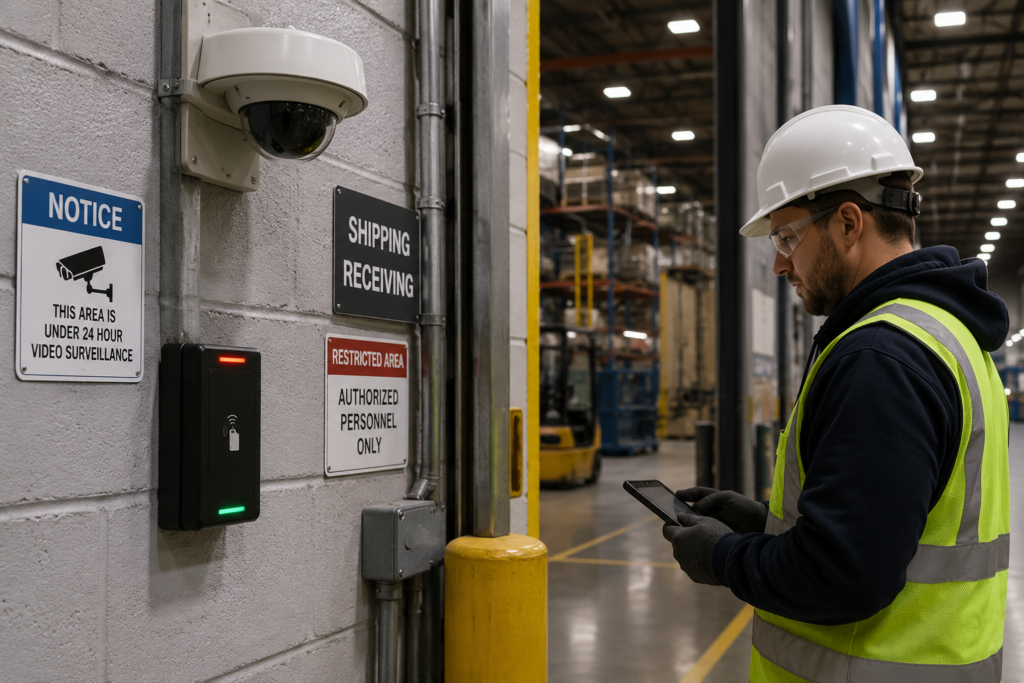
Following access control best practices helps teams plan systems that are secure, reliable, and easier to support. Access control plays an important role in industrial operations. Manufacturing plants, warehouses, and distribution centers often have multiple entry points, shipping areas, employee entrances, visitor areas, equipment rooms, and restricted zones. Each area may need different access rules.
A strong access control system helps protect people, equipment, inventory, and sensitive areas. It also helps teams manage who can enter specific parts of the facility and when. This is especially important in operations with multiple shifts, vendors, contractors, and delivery traffic.
However, access control only works well when it is planned as part of the larger IT infrastructure. Badge readers, door controllers, cameras, switches, and monitoring systems all rely on cabling, power, network connectivity, and proper installation. If those pieces are not coordinated, the system can become hard to maintain and slow to troubleshoot.
That is why access control should not be treated as a standalone project. It should be planned alongside your network, cabling, security cameras, and onsite IT support.
For additional access control guidance, the Security Industry Association provides helpful information on modern access control and security technology: Security Industry Association Access Control Resources.
Start with the facility layout and access needs
Strong access control best practices start with understanding how people, vendors, and equipment move through the facility. Before choosing devices or scheduling installation, start with the facility layout. Identify every access point that needs to be controlled. This may include front entrances, employee doors, dock doors, server rooms, production areas, storage cages, and maintenance rooms.
Next, define who needs access to each area. Employees, managers, visitors, vendors, drivers, cleaning crews, and contractors may all need different permissions. Some areas may require 24/7 access, while others may only need access during certain shifts.
This planning step helps avoid overbuilding or underbuilding the system. It also helps IT and facilities teams agree on what the access control system needs to support before equipment is installed.
For industrial companies, access planning should also account for daily operations. A door used during shift changes may need fast, reliable badge access. A restricted area may need stronger controls. A shipping or receiving zone may need access control that works closely with cameras and visitor processes.
Plan structured cabling early
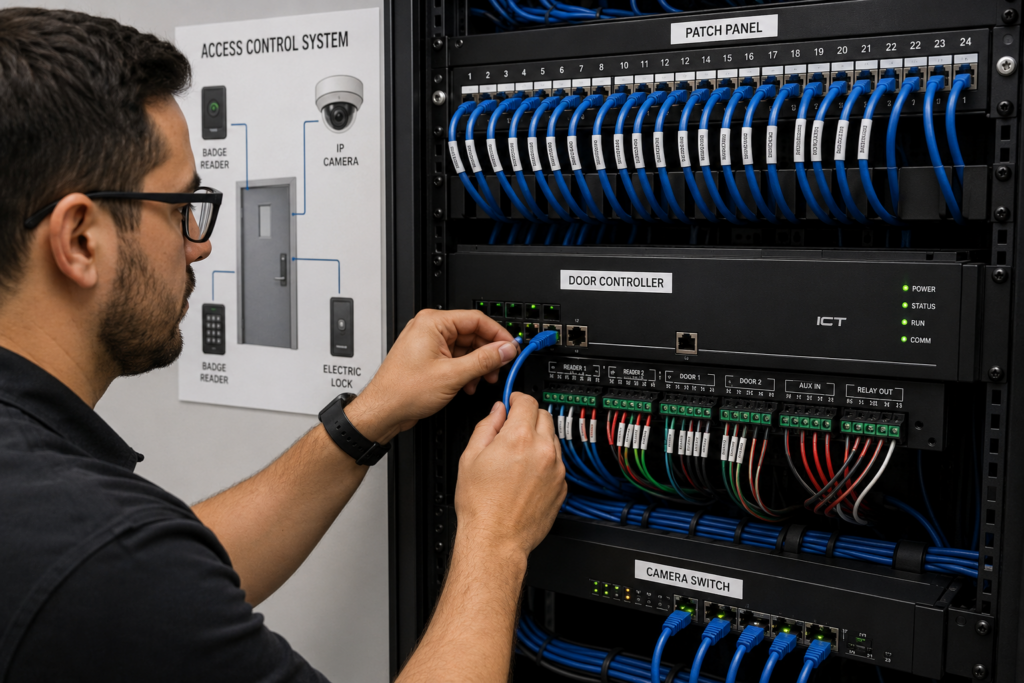
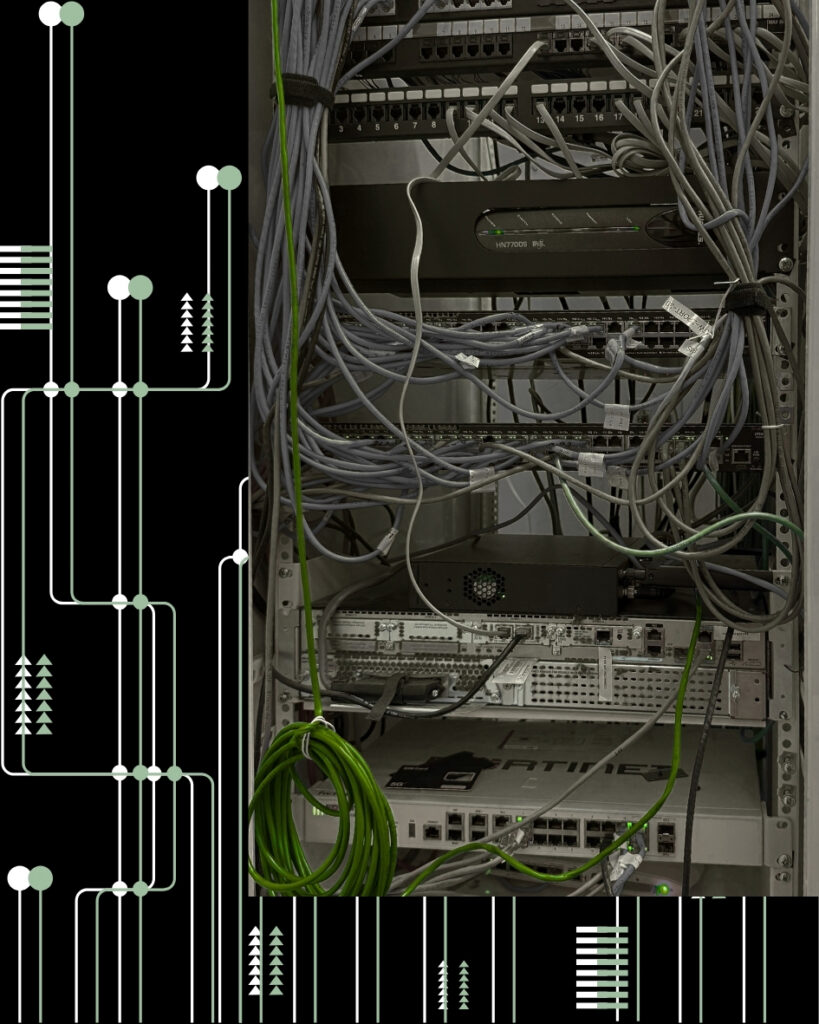
Access control relies on solid physical infrastructure. That means cable labels should be clear, pathways should be organized, and documentation should be complete from the start. Badge readers, door controllers, cameras, and related devices often need cabling, power, and network connectivity. If cabling is not planned early, installation can be delayed.
This is where structured cabling becomes critical. Cable pathways should be reviewed before work begins. Teams should know where devices will be installed, where cabling will terminate, and how each device will connect back to the network or controller.
Good structured cabling also makes future support easier. Cables should be labeled clearly. Patch panels should be organized. As-built documentation should show where each run starts and ends. If a badge reader or camera fails later, clear cabling records help technicians troubleshoot faster.
For a deeper look at cabling standards, read our guide on Structured Cabling Best Practices for Industrial Operations.
Coordinate access control with network deployments
Access control systems often connect to the same network infrastructure as other building systems. That means they should be included in your network deployments from the start.
A good network deployment plan should account for switch ports, PoE requirements, VLANs, IP addressing, firewall rules, and monitoring needs. Access control devices should be installed and tested as part of the broader deployment, not added at the end as an afterthought.
For broader cybersecurity guidance around access and network security, review NIST’s Cybersecurity Framework: NIST Cybersecurity Framework.
This matters because industrial networks often support many systems at once. Wireless access points, cameras, scanners, workstations, and access control devices may all depend on the same infrastructure. If access control is not included in the network plan, teams may run into missing ports, limited PoE capacity, or security issues later.
For companies with multiple warehouses or plant locations, network standards are even more important. Device naming, port assignments, and documentation should be consistent across sites. This helps internal IT teams support each location without having to relearn the environment every time.
For more on standardizing infrastructure across sites, read Standardize IT Infrastructure Across Multiple Locations.
Do not separate access control from cameras
Access control and cameras often work best together. A badge reader shows who accessed a door. A camera shows what happened at that door. When these systems are planned together, security teams get better visibility and context.
For example, a warehouse may need cameras at employee entrances, dock doors, restricted inventory areas, and equipment rooms. Those cameras need mounting, cabling, power, network connectivity, and testing. If camera placement is not coordinated with access control, the facility may end up with blind spots or incomplete coverage.
Planning both systems together also reduces rework. A technician can review cable pathways, device placement, PoE needs, and mounting locations in one coordinated plan. This is especially useful during expansions, retrofits, and new site openings.
Granado Technologies supports industrial teams with field services that can include cameras, access control, structured cabling, and network deployment support. This helps reduce vendor handoffs and keeps projects moving.
Document everything clearly
Clear documentation is one of the most important parts of a successful access control project. Without it, even small support tasks can take longer than they should.
Your documentation should include device names, door locations, cable labels, controller locations, switch ports, IP information, photos, testing results, and notes on any field changes. It should also include who approved the installation and what was tested before handoff.
This information helps internal IT, facilities, and security teams support the system after installation. It also helps future vendors understand what was done. For multi-site companies, consistent documentation makes it easier to support every location the same way.
Good documentation is not just a technical detail. It is what keeps the system manageable over time.
Test before go-live
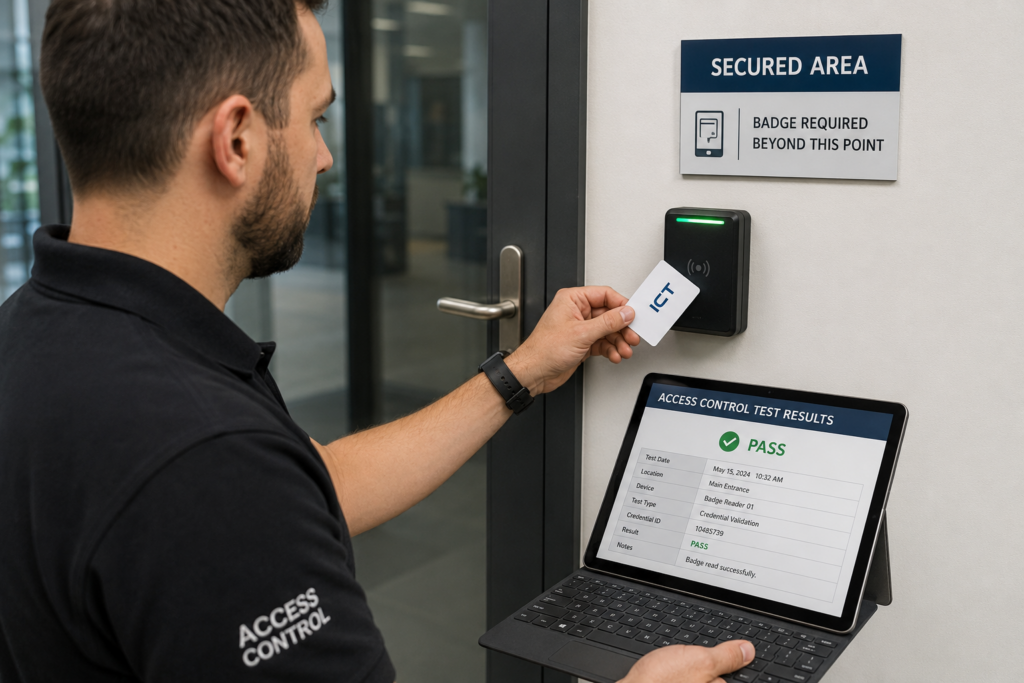
Testing is one of the most important access control best practices because it confirms the system works before daily operations depend on it. Before an access control system is considered complete, every device should be tested. This includes badge readers, door locks, controllers, request-to-exit devices, cameras, alarms, and network connections.
Testing should confirm that each door opens for the right users, denies access when needed, and logs activity correctly. Teams should also test what happens during power loss, network issues, or emergency conditions. If the system integrates with cameras, confirm that the right video coverage exists for each controlled access point.
A clean test plan helps prevent surprises after go-live. It also gives operations and facilities teams confidence that the system is ready for daily use.
This is where onsite IT support adds value. Many access control issues require someone physically at the door, rack, controller, or camera location. A responsive onsite team can test, adjust, and document the system before it affects operations.
Standardize access control across multiple sites
If your company operates more than one plant, warehouse, or distribution center, consistency matters. Each site should not develop its own access control process without a shared standard.
A standard should define naming rules, device placement guidelines, cabling expectations, documentation requirements, testing steps, and support processes. It should also define who owns each part of the system, including IT, facilities, security, operations, and outside vendors.
Standardization helps reduce confusion. It also helps your team scale. If every facility uses the same approach, internal IT can troubleshoot faster and support teams can train more easily.
This is especially useful for companies planning expansions or retrofits. A repeatable access control standard helps each project move faster because the team does not have to start from scratch every time.
Choose a partner that understands industrial operations
Not every vendor is prepared for manufacturing and warehouse environments. These spaces have unique challenges, including active production areas, shift schedules, equipment movement, dock traffic, safety rules, and limited maintenance windows.
A strong field services partner should understand how to work in these environments without creating unnecessary disruption. They should communicate clearly, coordinate with IT and facilities, document their work, and support both planned projects and follow-up requests.
Look for a partner that can support access control as part of a broader IT infrastructure scope. That includes structured cabling, network deployments, cameras, wireless, and onsite IT support.
For guidance on evaluating vendors, read IT Field Services Partner for Manufacturing and Logistics.
A case study worth reviewing
One useful example of access control modernization in an industrial environment comes from a large manufacturing facility upgrade completed by Genetec. The organization needed to improve physical security across multiple entry points while maintaining operational efficiency for employees and logistics teams. Legacy systems made it difficult to manage access permissions consistently, and limited visibility increased security risks.
The modernization effort focused on centralized access control management, improved badge reader deployment, integrated surveillance systems, and stronger coordination between security and IT infrastructure teams. By standardizing access control policies and improving system visibility, the facility strengthened security while simplifying day-to-day management.
You can read more here: Genetec Manufacturing Security Case Studies.
The lesson applies directly to warehouse and manufacturing facilities. Access control systems work best when they are planned alongside network infrastructure, structured cabling, and operational workflows instead of being added late in the project.
Final thoughts
Access control is a key part of modern industrial IT infrastructure. When planned well, it helps protect facilities, support operations, and reduce confusion around site access. When planned poorly, it can create delays, support issues, and extra work for internal teams. By following access control best practices, industrial teams can reduce delays, improve security, and make future support easier.
For manufacturing, transportation and logistics, and warehousing and distribution teams, the best approach is to plan access control alongside cabling, network infrastructure, cameras, and onsite support. That creates a cleaner installation and a system that is easier to manage over time.
At Granado Technologies, we help industrial teams with responsive IT infrastructure services, including structured cabling, network deployments, access control, and onsite IT support. We work with manufacturing and logistics companies to keep projects moving and help internal IT teams avoid unnecessary bottlenecks.
If you are planning an access control project, security upgrade, expansion, or retrofit, contact us. Our team is here to help.
Author and credentials
By Granado Technologies Team
Granado Technologies delivers onsite IT support, structured cabling, network deployments, and access control for manufacturing, warehousing, and logistics sites. Our team includes certified network engineers and field technicians with experience in single-site and multi-site rollouts.
Continue reading
 IT Infrastructure
 Warehouse Wi-Fi: Planning Around Racks, Aisles, and Mobile Devices
Warehouse Wi-Fi: Planning Around Racks, Aisles, and Mobile Devices Warehouse wifi planning connects wireless design to work on the floor. Scanners must remain connected from receiving through shipping.…
 IT Infrastructure
 How to Standardize Network Upgrades Across Multiple Locations
How to Standardize Network Upgrades Across Multiple Locations Multi-site network upgrade planning helps retail and distributed organizations replace one-off dispatches with a repeatable process. When locations use different…
 IT Infrastructure
 Warehouse Network Infrastructure: How to Keep Scanners, Cameras, and WMS Connected
Warehouse Network Infrastructure: How to Keep Scanners, Cameras, and WMS Connected Warehouse network infrastructure affects nearly every connected workflow. Scanners need reliable Wi-Fi between aisles. Security cameras need…
Need expert IT, networking, or low-voltage support?
Our team designs, deploys, and supports IT, structured cabling, Wi-Fi, security cameras, and audio-visual systems for businesses across all 50 states — backed by 24/7/365 service and BICSI-certified installers.