

When Should a Medical or Dental Practice Bring in Onsite IT Support?
Small medical and dental practices depend on technology all day, even when they do not feel like major IT environments. For many of these offices, having access to reliable onsite IT support is crucial to keep everything running smoothly. The front desk needs phones, computers, printers, scanners, and scheduling systems. Providers need stable access to patient systems. Patients need a smooth check-in process. Security cameras, Wi-Fi, network equipment, and structured cabling all need to work in the background.
That is why onsite IT support for medical and dental practices can be so valuable. Many issues start small. A phone call sounds choppy. A check-in tablet disconnects. A printer stops responding. A workstation freezes during scheduling. A camera loses connection. At first, the team may treat each issue as a quick fix.
But when the same problems keep coming back, the issue may not be the device itself. It may be the infrastructure behind it.
Some problems can be handled remotely. Others require someone to walk the space, test cabling, inspect network equipment, review Wi-Fi coverage, check security cameras, and confirm what is really happening onsite. This guide explains when small practices should stop relying on workarounds and bring in onsite help.
It also covers how services like structured cabling, network infrastructure, security cameras, and onsite IT support can help protect daily flow.
For more background on how field services reduce bottlenecks, read our pillar guide on Removing IT Bottlenecks with Quick IT Field Services.
Not every recurring issue should stay on an internal to-do list
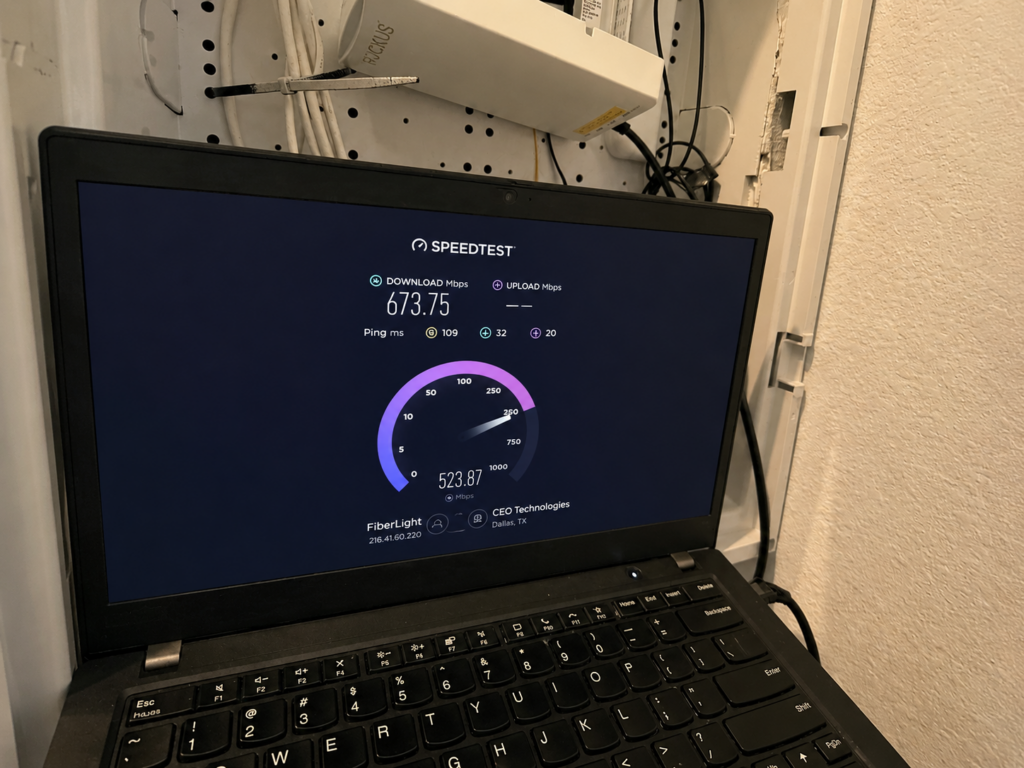
Every practice has small issues from time to time. A device needs to be restarted. A printer jams. A phone vendor needs to check a setting. One Wi-Fi dead spot appears in a back office.
Those issues are normal when they happen once in a while. The problem starts when they become part of the daily routine.
If the front desk has to restart equipment every morning, that is no longer a small issue. If phones keep dropping calls during busy hours, patient communication can suffer. If staff avoid certain rooms because the Wi-Fi is weak, workflow becomes less efficient. If cameras or access devices work inconsistently, security concerns can build.
At that point, the issue should not stay buried on an internal checklist. It needs a closer look.
A responsive onsite IT support partner can help separate one-time device issues from larger infrastructure problems. Instead of guessing, the onsite team can test the physical environment and identify what needs to be repaired, upgraded, documented, or planned better.
Signs Your Practice Needs Onsite IT Support
 Small medical and dental offices often try to manage technology issues with the team they already have. This is understandable. Staff members know the office, know the schedule, and want to keep the day moving.
However, internal workarounds can become expensive in a different way. They pull people away from their actual jobs.
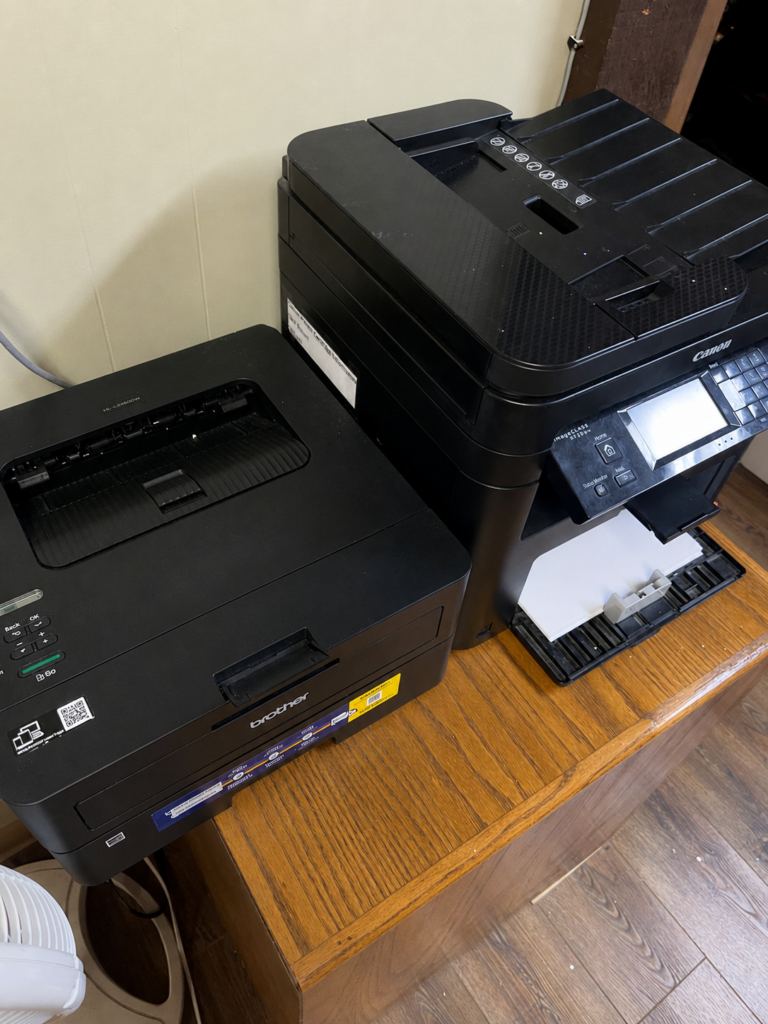
A practice may be carrying too much support burden internally when front-desk staff are restarting devices several times a week, phones are creating delays during scheduling, or Wi-Fi works in some rooms but not others. The same is true when printers, scanners, or tablets disconnect at busy times, security cameras are unreliable, or no one knows which cable or network drop supports a specific device.
Another common sign is vendor back-and-forth. The internet provider points to the phone vendor. The phone vendor points to the network. The software vendor asks someone onsite to check equipment. Meanwhile, the practice keeps losing time.
These are signs that the issue may need hands-on support. A remote provider can help with software, settings, and user support. But when the issue involves cabling, network equipment, Wi-Fi coverage, cameras, or physical connections, someone may need to be onsite.
That is where onsite IT support for medical and dental practices becomes valuable.
What repeated issues usually say about the environment behind them
Repeated IT issues are often symptoms of a bigger environment problem.
For example, a slow front-desk computer may not only be a computer issue. It could be connected to weak network performance, old cabling, or an overloaded switch. A phone problem may not be caused by the phone system alone. It may be tied to network quality, internet stability, or poor cabling documentation.
The same is true for Wi-Fi. If staff keep reporting weak coverage, the issue may not be the tablet, scanner, or laptop. It may be poor access point placement, outdated wireless equipment, too many devices on the network, or a layout that was never designed for the way the office now works.
Security cameras can point to similar problems. If cameras drop offline or recordings are inconsistent, the issue may involve PoE power, network capacity, cable quality, camera placement, or switch configuration.
This is why network infrastructure and structured cabling matter so much. They support many of the systems the office uses every day.
A practice may notice slow check-in, dropped calls, disconnected devices, delayed printing, unclear camera footage, or staff frustration. But the root cause may be weak cabling, poor labels, limited switch capacity, bad Wi-Fi coverage, old network equipment, unclear documentation, or no onsite support process.
For more background on cabling planning, read Structured Cabling Best Practices for Industrial Operations. The article focuses on industrial environments, but the same principles apply to small offices: clean labels, organized pathways, tested connections, and better documentation.
When Onsite IT Support Creates More Value Than Workarounds
Onsite IT support starts creating more value when workarounds begin costing the office time.
For a medical or dental practice, time matters. A few minutes lost at check-in can affect the whole schedule. A missed phone call can delay a patient response. A disconnected device can slow down intake. A camera issue can create security gaps. A network problem can interrupt staff communication.
Bringing in onsite support makes sense when the practice needs answers that remote support cannot fully provide.
For example, onsite support can test network drops, trace cables, inspect network closets, review switch capacity, check Wi-Fi coverage, confirm camera connections, label equipment, verify access points, document physical infrastructure, and coordinate with phone, internet, or software vendors.
This helps the practice move from temporary fixes to a clearer plan.
It is especially helpful for offices that are growing, remodeling, adding treatment rooms, upgrading security cameras, moving phones, or expanding patient check-in technology. Any of those changes can expose weak spots in the current infrastructure.
For more on planning network work before it causes delays, read How to Plan a Successful Warehouse Network Deployment. While the article focuses on warehouse environments, the planning process is useful for any business that depends on stable network infrastructure.
Case Study: The Point Where Internal Workarounds Were No Longer Enough
A healthcare IT case study from Secur-Serv on Caring Medical shows how recurring technology support needs can become difficult for a medical practice to manage internally. In many small healthcare environments, issues do not always start as major outages. They often begin as small problems with devices, connectivity, communication tools, or support response. Over time, those problems can create pressure on staff and make daily operations harder to manage.
This connects directly to the point of this blog. A medical or dental practice does not need to wait for a full outage before bringing in onsite IT support. If the same problems keep coming back, the real issue may be tied to the infrastructure behind the devices. That can include network equipment, structured cabling, Wi-Fi coverage, security cameras, poor documentation, or a lack of responsive onsite support.
For Granado Technologies, this is the type of situation we would want to evaluate onsite. Our first step would be to look at the areas that affect daily flow the most, including the front desk, phones, Wi-Fi coverage, network drops, cabling labels, cameras, and connected devices. From there, we would identify whether the practice needs better structured cabling, stronger network infrastructure, improved camera connectivity, or responsive onsite IT support.
The main takeaway is simple. When internal workarounds start taking time away from patient care, scheduling, communication, or office operations, onsite IT support for medical and dental practices can help restore stability and reduce repeated disruptions.
You can review the case study here: Caring Medical Managed IT Services Case Study
What Granado Reviews During an Onsite IT Support Visit
When Granado Technologies comes onsite, the first priority is to understand how technology affects the office’s daily flow. For a medical or dental practice, that usually means starting with the front desk and patient-facing areas.
The evaluation would likely include front-desk devices, phones, Wi-Fi coverage, network equipment, structured cabling, security cameras, access devices, and documentation. Granado would also look for practical issues that slow support down.
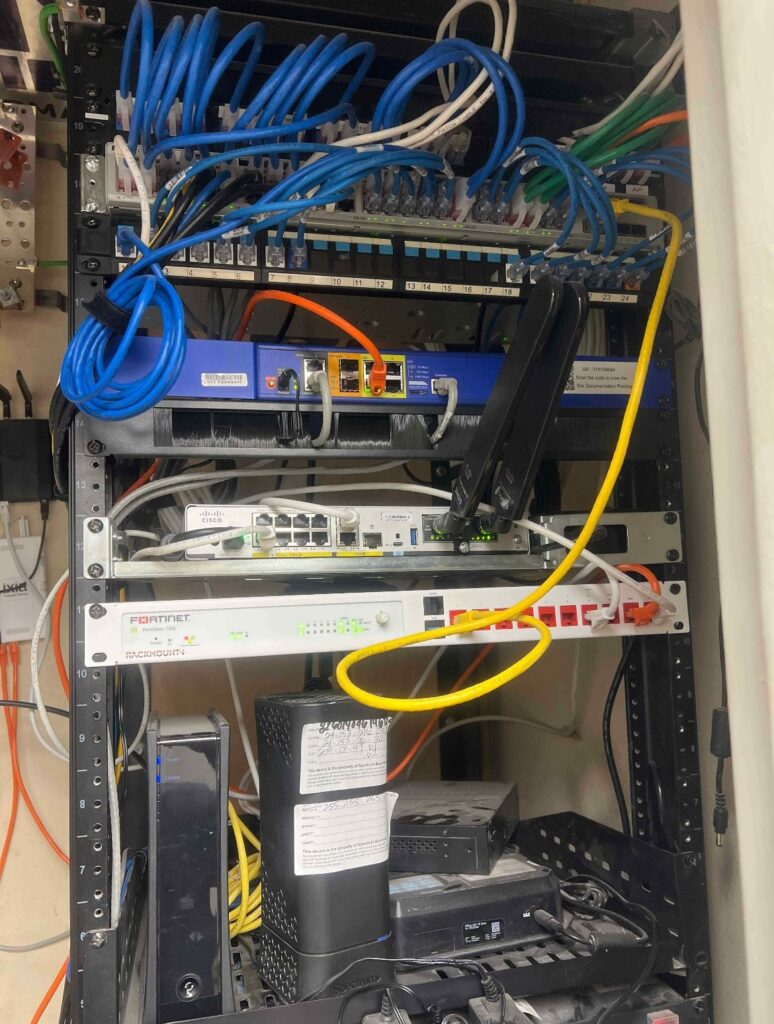
Are cables labeled clearly? Are network drops easy to identify? Is the network closet organized? Are there enough available ports? Are cameras receiving reliable power and connectivity? Is the Wi-Fi strong where staff actually work?
This type of onsite review helps the practice make better decisions. It also helps vendors work together more clearly. If the phone provider, internet provider, or software vendor needs onsite information, a field support partner can help gather it and reduce back-and-forth delays.
For offices with multiple locations, consistency becomes even more important. Read Standardize IT Infrastructure Across Multiple Locations for more on how repeatable standards make support easier.
Why cameras, network infrastructure, and cabling are strong starting points
For healthcare, dental, and wellness offices, cameras, network infrastructure, and structured cabling are often the best places to start because they support many other systems.
Security cameras help protect the office, monitor entrances, and support visibility around patient and staff areas. But they depend on cabling, network connectivity, power, storage, and proper placement.
Network infrastructure supports phones, Wi-Fi, workstations, printers, patient systems, and connected devices. If the network is unstable, the whole office can feel it.
Structured cabling creates the foundation for reliable connections. Good cabling supports cameras, phones, access points, workstations, and future upgrades.
These entry-point services make it easier to identify other needs naturally. A camera project may reveal network capacity issues. A cabling project may uncover missing documentation. A Wi-Fi concern may point to outdated switches or poor access point placement.
When to Call for Onsite IT Support Before Problems Spread
A practice should consider calling for onsite IT support when small problems become repeat problems.
Good times to bring in support include opening a new office, adding security cameras, upgrading phones or internet service, expanding treatment rooms, adding front-desk technology, or receiving repeated Wi-Fi complaints.
The earlier the review happens, the easier it is to prevent larger issues. Onsite IT support for medical and dental practices gives teams a faster way to find the cause of recurring issues before they disrupt the full day.
For more on access and security planning, read Access Control Best Practices for Manufacturing and Warehouse Facilities. Many of the same planning ideas apply to small offices that need secure entry points and reliable camera coverage.
Final thoughts
Medical and dental practices do not need to wait for a major outage before asking for help. Small issues often give warning signs first. Slow Wi-Fi, choppy phones, disconnected printers, unreliable cameras, and unclear cabling can all point to bigger infrastructure problems.
Granado Technologies provides onsite IT support for medical and dental practices, helping teams address structured cabling, network infrastructure, security cameras, wireless support, and recurring technology issues.
If your office is dealing with recurring IT issues, contact us. We would be glad to help you talk through the next step.
Continue reading
 IT Infrastructure
 Warehouse Wi-Fi: Planning Around Racks, Aisles, and Mobile Devices
Warehouse Wi-Fi: Planning Around Racks, Aisles, and Mobile Devices Warehouse wifi planning connects wireless design to work on the floor. Scanners must remain connected from receiving through shipping.…
 IT Infrastructure
 How to Standardize Network Upgrades Across Multiple Locations
How to Standardize Network Upgrades Across Multiple Locations Multi-site network upgrade planning helps retail and distributed organizations replace one-off dispatches with a repeatable process. When locations use different…
 IT Infrastructure
 Warehouse Network Infrastructure: How to Keep Scanners, Cameras, and WMS Connected
Warehouse Network Infrastructure: How to Keep Scanners, Cameras, and WMS Connected Warehouse network infrastructure affects nearly every connected workflow. Scanners need reliable Wi-Fi between aisles. Security cameras need…
Need expert IT, networking, or low-voltage support?
Our team designs, deploys, and supports IT, structured cabling, Wi-Fi, security cameras, and audio-visual systems for businesses across all 50 states — backed by 24/7/365 service and BICSI-certified installers.